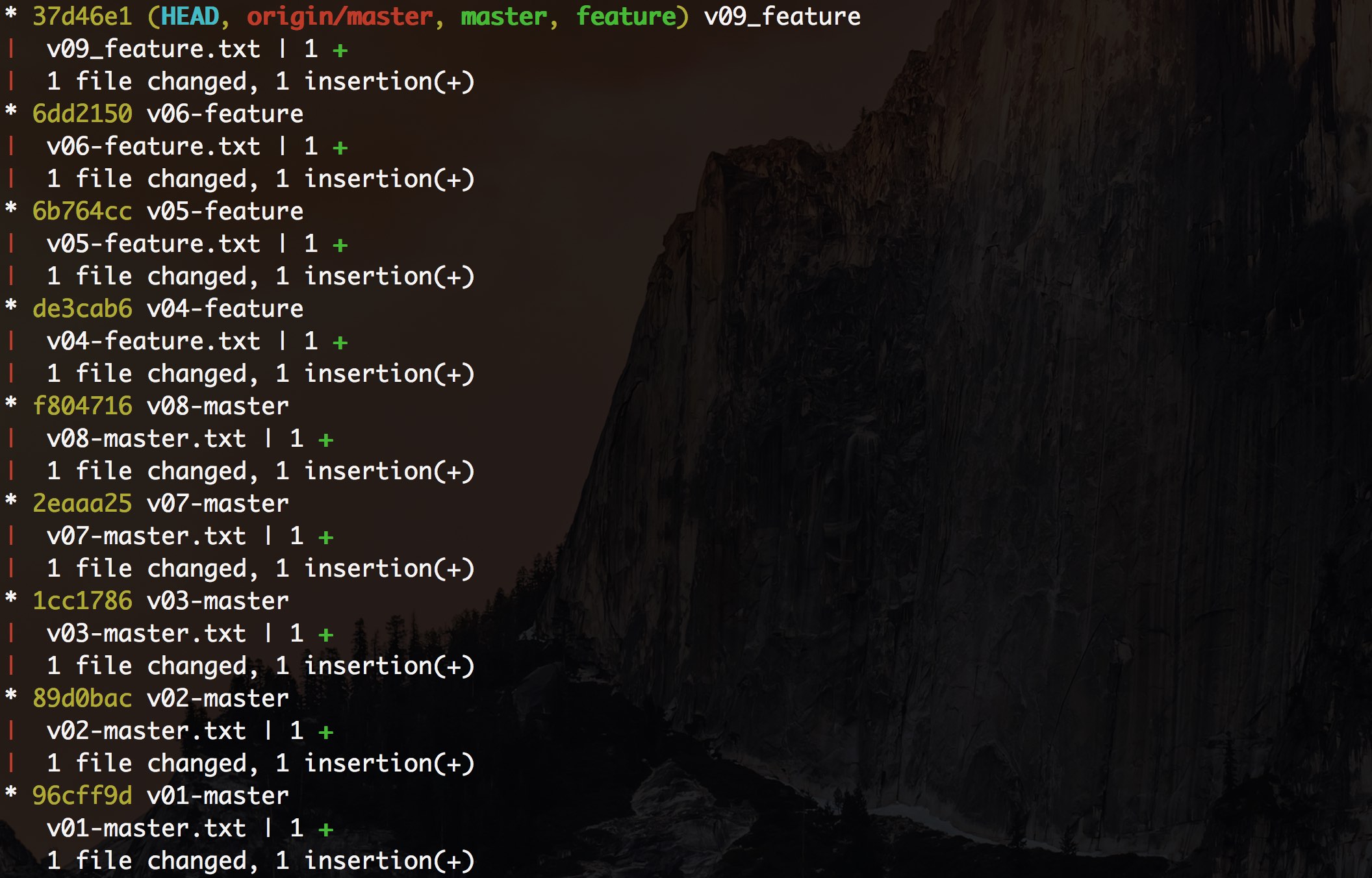
branches status before merge or rebase
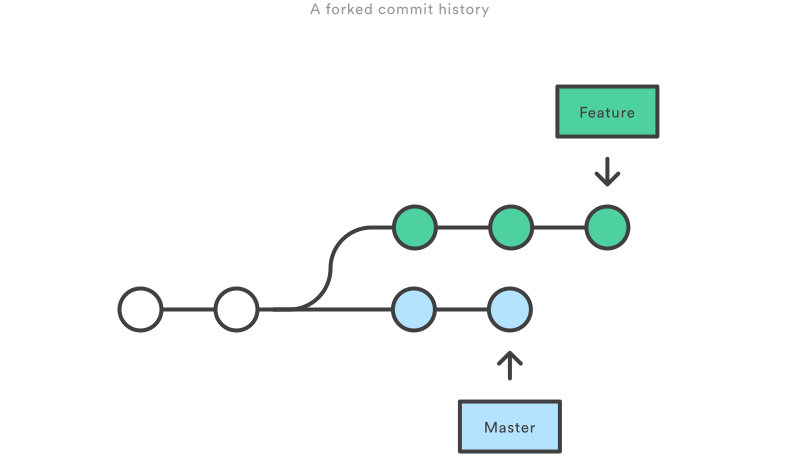
branches status after git merge
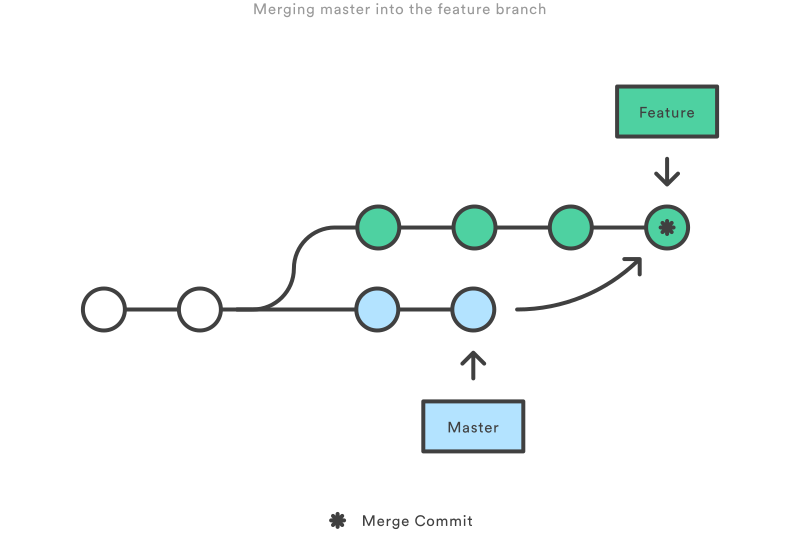
branches status after git rebase
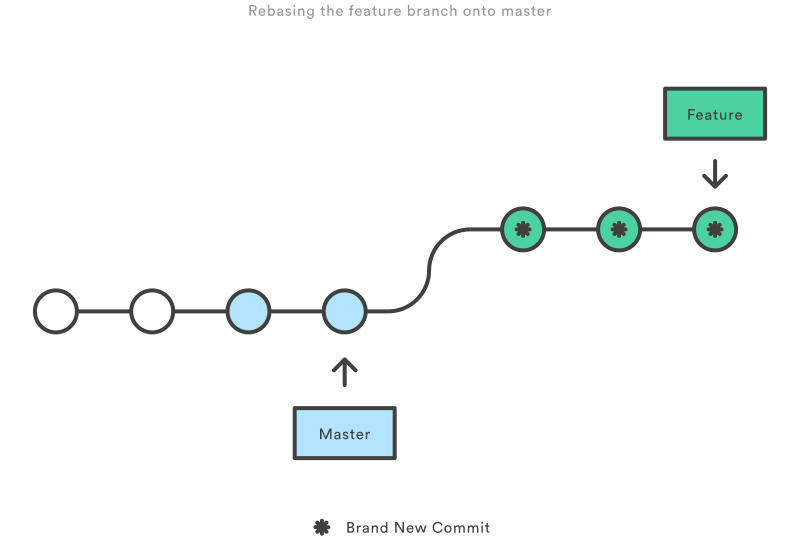
git merge and git rebase test scripts
git-merge-test.sh测试脚本
[ -a git-merge-test.git ] && rm -rf git-merge-test.git[ -a git-merge-logs ] && rm -rf git-merge-logsgit --bare init git-merge-test.gitgit clone git-merge-test.git git-merge-logscd git-merge-logs/echo "14:59:+0800" > v01-master.txtgit add -A && git commit -m "v01-master"echo "15:02:+0800" > v02-master.txtgit add -A && git commit -m "v02-master"echo "15:03:+0800" > v03-master.txtgit add -A && git commit -m "v03-master"git push origin mastergit checkout -b featureecho "15:04:+0800" > v04-feature.txtgit add -A && git commit -m "v04-feature"echo "15:06:+0800" > v05-feature.txtgit add -A && git commit -m "v05-feature"echo "15:09:+0800" > v06-feature.txtgit add -A && git commit -m "v06-feature"git checkout masterecho "15:10:+0800" > v07-master.txtgit add -A && git commit -m "v07-master"echo "15:12:+0800" > v08-master.txtgit add -A && git commit -m "v08-master"git checkout featureecho "15:15:+0800" > v09_feature.txtgit add -A && git commit -m "v09_feature"git checkout master# This creates a new "merge commit" in the feature branch that ties together the histories of both branchesgit merge feature -m "merge feature into master"git pushgit log --decorate --graph --oneline --stat --all |
执行结果
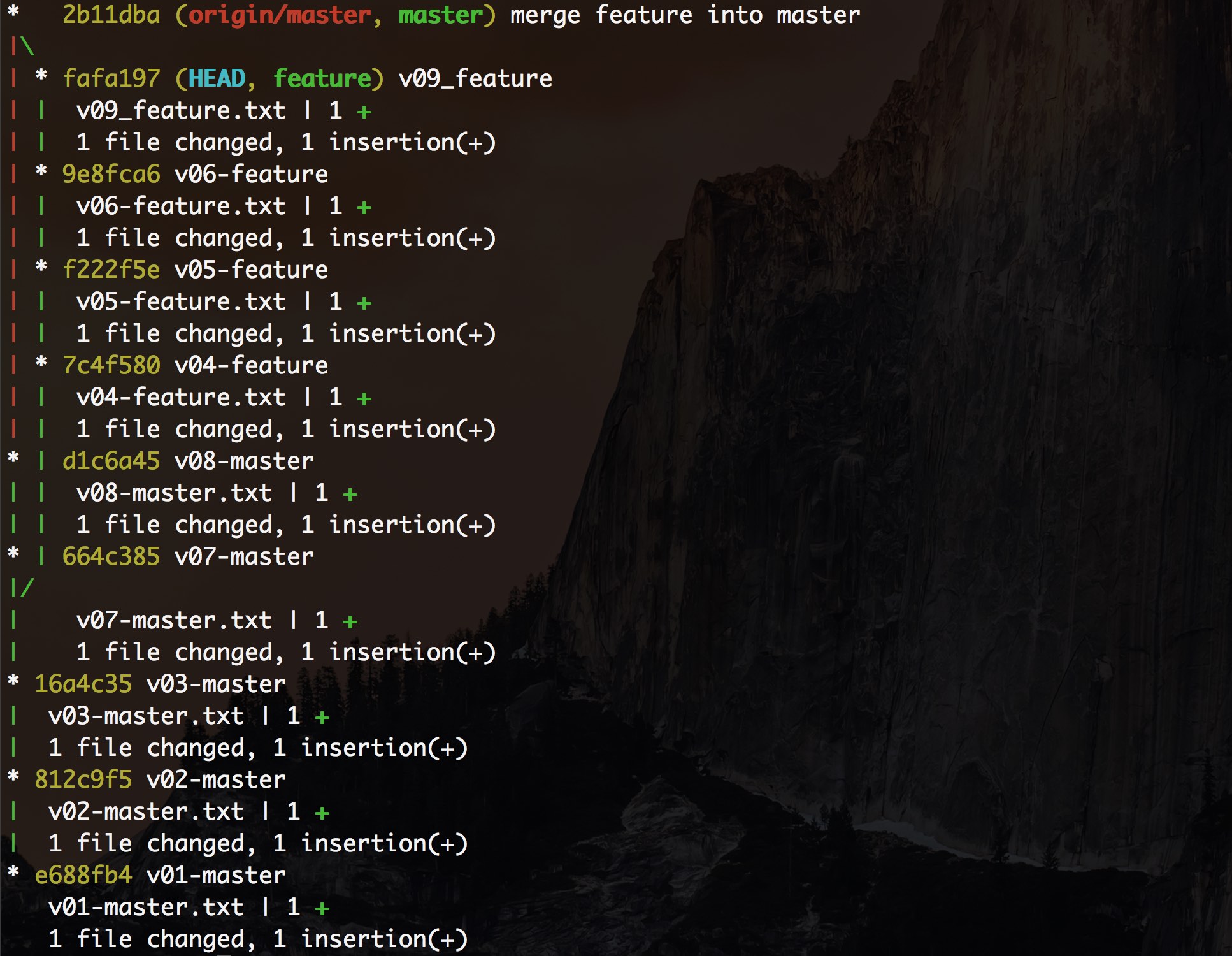
git merge简要说明
git merge会产生一次新的commit版本,并且此版本会有2个或者更多个父提交,可以通过HEAD^1,HEAD^2,HEAD^n方法来引用此提交的父提交。git merge是非破坏性的(non-destructive)操作,没有负作用,并且被合并的这些分支都可以git push发布到remote公共仓库中。- 由于每次合并会产生一次新的提交历史,如果主分支非常活跃,就会产生很多这种合并分支的提交历史,会对项目本身的提交历史产生污染。
git-rebase-test.sh测试脚本
[ -a git-rebase-test.git ] && rm -rf git-rebase-test.git[ -a git-rebase-logs ] && rm -rf git-rebase-logsgit --bare init git-rebase-test.gitgit clone git-rebase-test.git git-rebase-logscd git-rebase-logs/echo "14:59:+0800" > v01-master.txtgit add -A && git commit -m "v01-master"echo "15:02:+0800" > v02-master.txtgit add -A && git commit -m "v02-master"echo "15:03:+0800" > v03-master.txtgit add -A && git commit -m "v03-master"git push origin mastergit checkout -b featureecho "15:04:+0800" > v04-feature.txtgit add -A && git commit -m "v04-feature"echo "15:06:+0800" > v05-feature.txtgit add -A && git commit -m "v05-feature"echo "15:09:+0800" > v06-feature.txtgit add -A && git commit -m "v06-feature"git checkout masterecho "15:10:+0800" > v07-master.txtgit add -A && git commit -m "v07-master"echo "15:12:+0800" > v08-master.txtgit add -A && git commit -m "v08-master"git checkout feature# Instead of using a merge commit, rebasing re-writes the project history by creating brand new commits for each commit in the original branch.# The golden rule of git rebase is to never use it on public branches.git rebase masterecho "15:15:+0800" > v09_feature.txtgit add -A && git commit -m "v09_feature"git checkout mastergit merge feature # -m "rebasing the feature branch onto master, and merge the feature branch does not create new commit."git pushgit log --decorate --graph --oneline --stat --all# Don't push temporary feature branch to remote, and can delete this temporary branch.git branch -d feature# Interactive Rebasing to change history of commits# git rebase -i master |
执行结果
git rebase简要说明
git rebase会产生一个修改过的很干净的项目提交历史,例如在feature分支上git rebase master,会将分支上的提交添加到master分支的最顶端(by creating brand new commits for each commit in origin branch)。git rebase操作有负面效果,影响项目提交历史的安全性(safety)和可追溯性(traceability)。git rebase -i master可以交互式压缩提交(squash)或者忽略指定提交。git rebase使用黄金守则:NEVER USE IT ON PUBLIC BRANCHES.- 不要将主分支
rebase到特性分支上(don't rebasedmasteronto yourfeaturebranch:git rebase feature)。 - 其他开发者提交的新特性和修改(如patch)应该创建一个临时分支apply这些修改,再使用
git merge合并修改到主分支上,而不是使用git rebase方式操作,因为rebase操作修改了提交历史,很难追溯哪些提交新增了这些特性和修改。
在没有完全理解什么时候使用git rebase时,尽量在特性分支上再开个临时分支出来进行rebase操作,如下所示:
git checkout feature# [Create new branch from feature branch for rebasing] git checkout -b temporary-branch git rebase -i master# [Clean up the history]# pick ba7da2b v04-feature¬# pick 5f45d15 v05-feature¬# pick 43df101 v06-feature¬# pick be55443 v09_feature¬# Rebase 01642c6..be55443 onto 01642c6 ( 4 TODO item(s))¬#¬# Commands:¬# p, pick = use commit¬# r, reword = use commit, but edit the commit message¬# e, edit = use commit, but stop for amending¬# s, squash = use commit, but meld into previous commit¬# f, fixup = like "squash", but discard this commit's log message¬# x, exec = run command (the rest of the line) using shell¬#¬# These lines can be re-ordered; they are executed from top to bottom.¬#¬# If you remove a line here THAT COMMIT WILL BE LOST.¬#¬# However, if you remove everything, the rebase will be aborted.¬#¬# Note that empty commits are commented out¬ git checkout master git merge temporary-branch git branch -d temporary-branch |