2html.vim 这个内置插件的文档说明:
Vim provides a script that can create an html document (including the foreground and background colors, and syntax highlighting) from the current file, or from selected lines. :help convert-to-HTML
2html.vim 帮助文档里的示例
Here is an example how to run the script over all .c and .h files from a Unix shell:
for f in *.[ch]; do gvim -f +"syn on" +"run! syntax/2html.vim" +"wq" +"q" $f; done |
印象笔记的排版问题
印象笔记里格式化代码片断和处理笔记排版并不是很方便,所以利用 vim 导出文件,并指定主题配色导出为 html 页面,然后在本地打开一个本地 web 服务器,显示此 html 文件,再利用印象笔记的浏览器插件Evernote Web Clipper,将当前文件收录到印象笔记中,就可以保留此文件内容在 vim 中一样的配色和排版结果。
操作如下,首先为 2html 插件单独写了一份 vimrc 配置文件2html.vimrc,内容如下:
2html.vimrc
这个文件中包括 vim 的一些基本配置和主题配色设置:
set nocompatiblesyntax onset encoding=utf-8set nobackupset noswapfilecolorscheme darkblue |
convert-to-HTML
运行以下命令,可以生成一个 html 文件:2html.vimrc.html,最后面的参数代表需要导出的文件位置,并在相同位置生成对应的 html 文件。
vim -u 2html.vimrc -c TOhtml -c wqa 2html.vimrc |
在 html 文件生成位置运行 http server
这个用 python2 如下命令启动服务器:
python -m SimpleHTTPServer 8080 |
或者 python3 如下命令启动服务器:
python -m http.server 8080 |
个人最常用的是 node 的 http-server 工具:
http-server |
浏览器里打开页面
访问http://localhost:8080即可显示文件列表,找到对应生成的 html 文件即可,如上述命令生成的地址为:
浏览器中显示效果截屏如下:
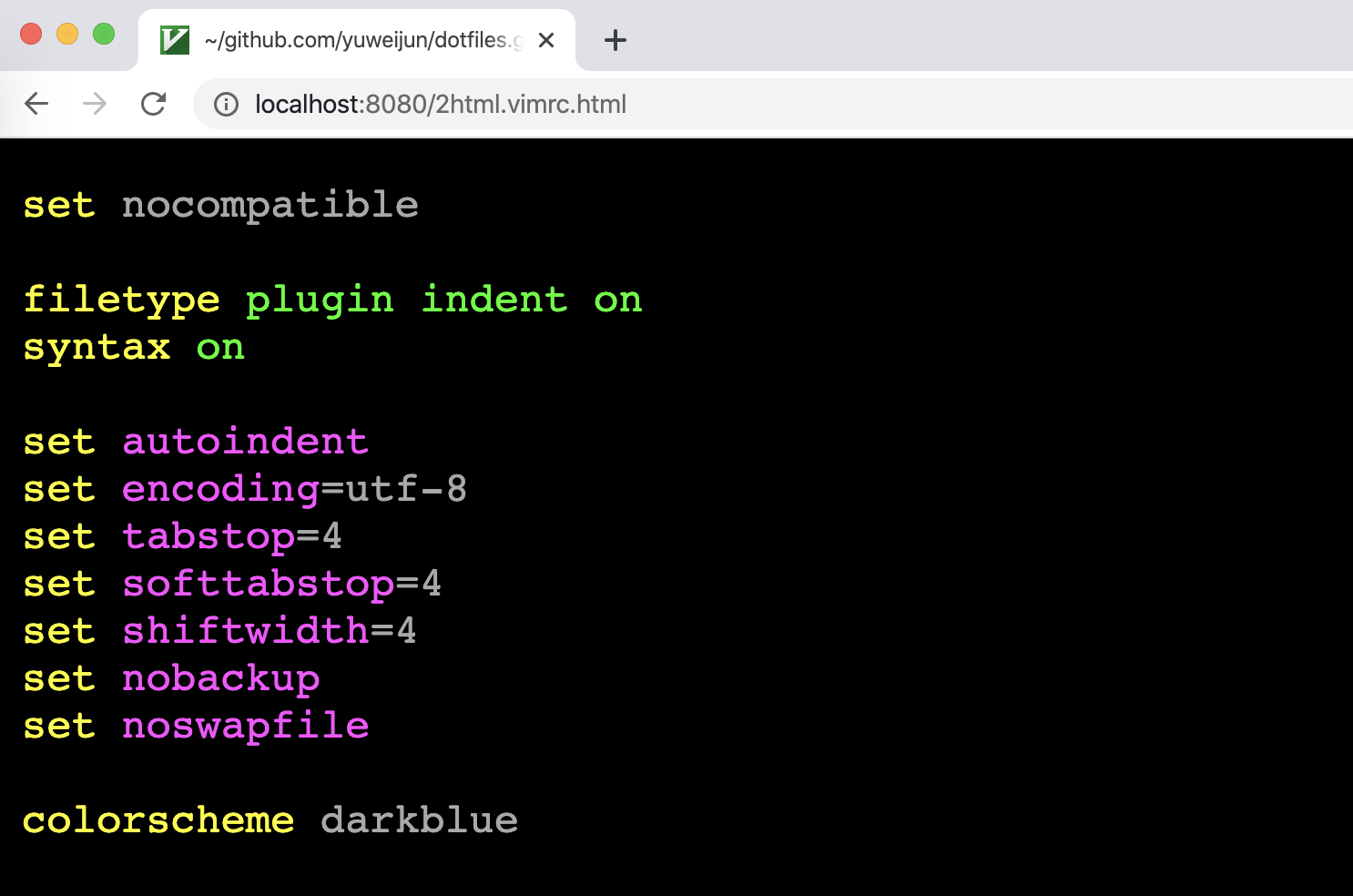
用印象笔记的浏览器插件保存当前页面
印象笔记里的内容就和上面截图的效果是一致的。
个人配置
个人的主题配色换了另一个molokai,并且主要在 MacOS 中使用,简单写了个脚本来做这个事。
tohtml.vimrc
这个文件保存位置:~/.vim/tohtml.vimrc
set nocompatiblefiletype offset rtp+=~/.vim/bundle/Vundle.vimcall vundle#begin()Plugin 'tomasr/molokai'call vundle#end()syntax onset encoding=utf-8set nobackupset noswapfilecolorscheme molokai |
bash script
所有文件我复制到 ~/vscode/html 目录下,再生成 html 文件,并自动打开浏览器显示。
if [ $# -eq 1 ]; then FILE="$1" if [ -f "$FILE" ]; then dest=~/vscode/html f="$(basename -- $FILE)" cp $1 $dest cd $dest LANG=en_US.UTF-8 vim -u ~/.vim/tohtml.vimrc -c TOhtml -c wqa $f open "http://localhost:8080/$f.html" http-server -p 8080 else echo "$FILE not exists" exit 1 fifi |