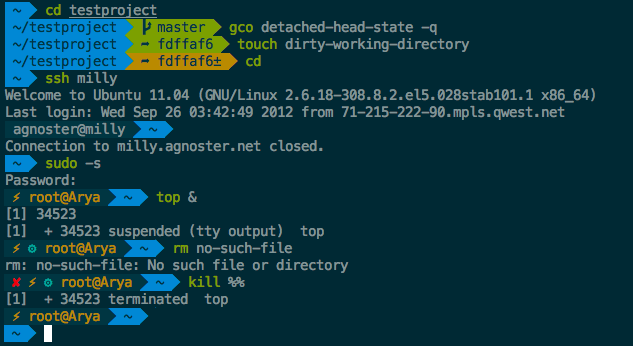
本文是使用powerline字体和一些zsh的插件,定制Mac OS上自带的命令行终端工具Terminal,而不是基于iTerm2。
首先查看一下系统是否已经安装了zsh,没有安装则使用brew install zsh安装。
cat /etc/shells |
# List of acceptable shells for chpass(1).
# Ftpd will not allow users to connect who are not using
# one of these shells.
/bin/bash
/bin/csh
/bin/ksh
/bin/sh
/bin/tcsh
/bin/zsh
切换到zsh并退出终端。
chsh -s /bin/zsh |
退出后重新进入Terminal,再确认当前的shell:
echo $SHELL |
/bin/zsh
Oh My Zsh Installation
# using curl install on Mac OS sh -c "$(curl -fsSL https://raw.githubusercontent.com/robbyrussell/oh-my-zsh/master/tools/install.sh)" |
linux下还可以通过wget方式安装,Mac OS系统默认安装里没有安装wget命令。
sh -c "$(wget https://raw.githubusercontent.com/robbyrussell/oh-my-zsh/master/tools/install.sh -O -)" |
安装完成之后,修改~/.zshrc配置文件,将主题改为agnoster。
ZSH_THEME="agnoster"
Install a patched powerline font
这里采用的Menlo-for-Powerline字体不是https://github.com/powerline/fonts里的那个Meslo字体,效果稍有不同,当然也可以用Meslo LG L Regular for Powerline字体。
git clone git@github.com:abertsch/Menlo-for-Powerline.git open Menlo-for-Powerline |
双击打开的文件夹中的字体文件,并点击安装字体,然后再修改Terminal的字体和字体大小(个人17吋Mac上设置为16pt,27吋iMac使用20pt),最后退出重进终端查看效果。
Install zsh-syntax-highlighting
brew install zsh-syntax-highlighting |
将以下这句脚本添加到~/.zshrc文件中。
source /usr/local/share/zsh-syntax-highlighting/zsh-syntax-highlighting.zsh
Install zsh-autosuggestions
git clone git://github.com/zsh-users/zsh-autosuggestions $ZSH_CUSTOM/plugins/zsh-autosuggestions |
绑定ctrl + space快捷键用于接受当前的自动完成提示,在~/.zshrc文件中加入下面的配置。
bindkey '^ ' autosuggest-accept
Install autojump
brew install autojump |
安装zsh-autosuggestions和autojump完成后在~/.zshrc中修改plugins=(git)为如下内容:
plugins=(git bundler osx rake ruby zsh-autosuggestions autojump)
然后继续在~/.zshrc文件中添加:
[[ -s $(brew --prefix)/etc/profile.d/autojump.sh ]] && . $(brew --prefix)/etc/profile.d/autojump.sh
source ~/.zshrc |
退出终端后重新进入。
最后确认一下~/.zshrc中有如下配置项:
export ZSH="~/.oh-my-zsh"ZSH_THEME="agnoster"plugins=(git bundler osx rake ruby zsh-autosuggestions autojump)bindkey '^ ' autosuggest-acceptsource $ZSH/oh-my-zsh.shsource /usr/local/share/zsh-syntax-highlighting/zsh-syntax-highlighting.zsh[[ -s $(brew --prefix)/etc/profile.d/autojump.sh ]] && source $(brew --prefix)/etc/profile.d/autojump.sh |
终端截图
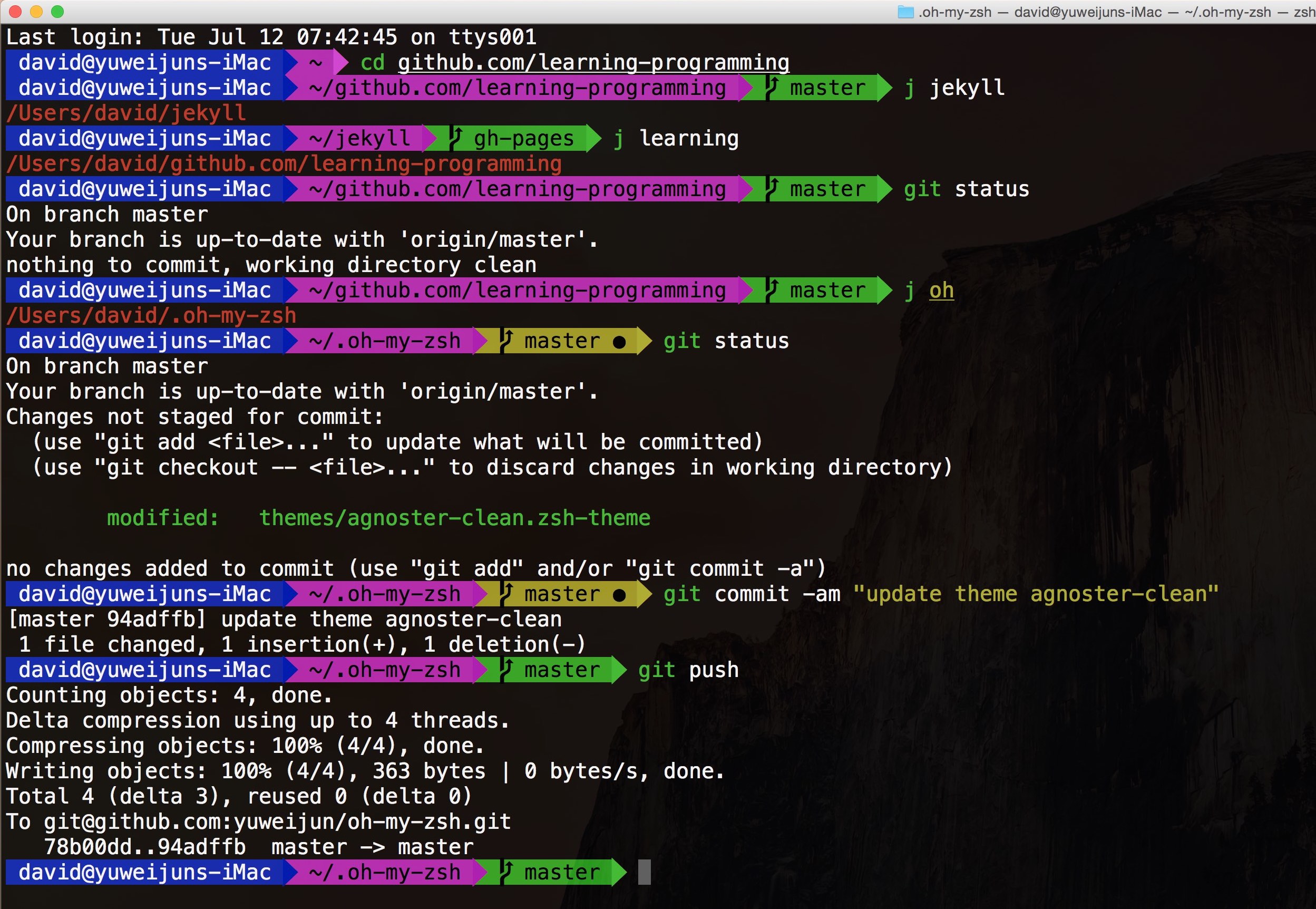
oh-my-zsh官方iTerm2配图